In the digital age, gaming is not just a hobby; it’s a lifestyle and a lucrative career for many. The rise of platforms like Twitch and YouTube Gaming has created an entire ecosystem around game streaming, where personalities can shine and communities can flourish. But before you jump into the fray, it’s crucial to have the right setup. Let’s dive into the essentials of game streaming setup assistance, ensuring that you’re equipped to deliver high-quality content that engages your audience and keeps them coming back for more.
**Understanding the Basics of Game Streaming**
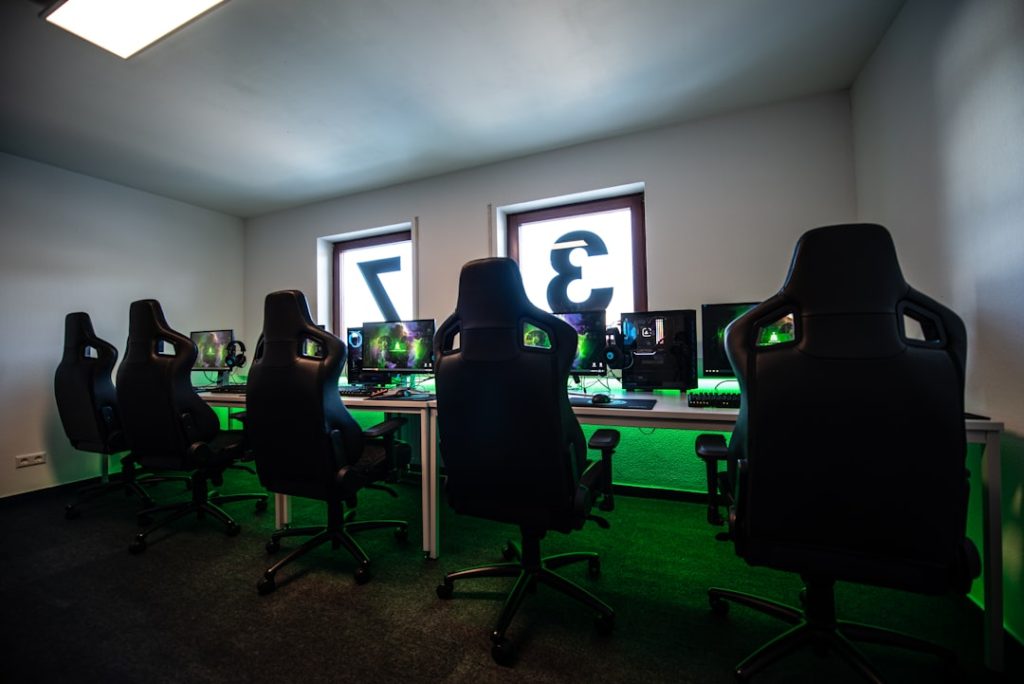
Before you can create captivating streams, you need to understand what’s required for a basic setup. At the heart of it, you’ll need a reliable gaming computer or console, a good microphone, a webcam, and stable internet connectivity. Each component plays a vital role in ensuring your stream is both enjoyable to watch and easy to produce.
1. **Choosing the Right Hardware**: Your gaming rig is the backbone of your streaming setup. If you’re a PC gamer, look for a machine with a powerful GPU and CPU. Ideally, aim for at least 16GB of RAM to ensure smooth performance. For console gamers, a next-gen console like the PlayStation 5 or Xbox Series X will offer excellent graphics and performance. But remember, it’s not just about the power; you’ll also need a capture card if you’re streaming from a console to ensure a seamless experience.
2. **Investing in Quality Audio**: Sound quality can make or break a stream. Viewers are likely to leave if they can’t hear you clearly or if the audio is too garbled. Invest in a good USB microphone or a condenser mic that can capture your voice crisply. Additionally, consider a pop filter to reduce unwanted noise, ensuring your commentary is clear and professional.
3. **Webcam Choices**: While a fancy 4K camera might be tempting, many streamers have found success with affordable options. A decent 1080p webcam can suffice for most streamers. Make sure it has good low-light performance since lighting conditions can vary greatly. Proper lighting setups can enhance your video quality significantly, so don’t overlook this aspect.
4. **Internet Speed Matters**: High upload speed is crucial for streaming. Aim for at least 5 Mbps upload speed for a solid 720p stream. If you want to broadcast in 1080p or higher, you’ll need even more bandwidth. Check with your Internet Service Provider (ISP) to see if you can upgrade your plan if needed.
**Software and Streaming Platforms**
Once you have your hardware sorted, you need streaming software to manage your broadcast. OBS Studio and Streamlabs OBS are two popular options that offer robust features for free. They allow you to customize your stream layout, add alerts, and even interact with your viewers through chat. Choosing the right platform is equally important. Twitch remains the leader, but platforms like YouTube Gaming and Facebook Gaming are also gaining traction, each with its own unique audience and features.
**Enhancing Viewer Engagement**
Having a great setup is one part of the equation; engaging your audience is another. Use overlays and alerts to acknowledge subscribers and donations. Engage with your viewers in real time by reading chat and responding to comments. You could also create a community Discord server to foster connections beyond the stream. Building a loyal community will not only enhance your streaming experience but also help in growing your channel.
**Budget-Friendly Options**
If you’re on a tight budget, there are plenty of affordable alternatives. Many successful streamers started with basic setups and upgraded over time. Use a smartphone as a webcam, find budget microphones on second-hand markets, and utilize free software like OBS. The key is to start with what you have and gradually improve your setup as your channel grows.
**Conclusion**
Game streaming is an exciting journey that combines technology, creativity, and community building. By investing in the right equipment and understanding the tools available, you can create a professional and engaging streaming setup. Don’t forget to have fun along the way! After all, your enthusiasm for gaming is what will resonate most with your viewers. So gear up, hit that record button, and let the world see your gaming passion unfold!